Cyber Allegiance Loading

Thick Client Security Training

Next batch:
Sessions: 30
Course Type: Online
600+ Students
4.9/5 Google Rating
Certificate Included
Material
Live Teams Classes

What You'll Learn

Understand thick client architecture (two-tier vs. three-tier) and identify technologies, frameworks, and libraries in use.

Map network communication, protocols, and application processes; analyze security mechanisms (authentication, authorization, sessions).

Test GUI for object permissions, logic flaws, access control bypass, injection vulnerabilities, and privilege escalation.

Perform file, folder, and registry testing for permissions, sensitive data, and manipulation attacks (DLL preloading, race conditions, etc.).

Analyze binaries for security protections (ASLR, DEP, SafeSEH, etc.), memory manipulation, and runtime attacks.

Intercept and manipulate network and end-to-end traffic; perform MITM and protocol analysis.

Apply OWASP Top 10 (Web & API) to thick clients, exploit DLL hijacking, and use automated tools for static/dynamic analysis.

Hands-on with tools: CFF Explorer, PEid, Detect It Easy, dnSpy, Sysinternals Suite, Procmon, Process Explorer, WinSpy++, Regshot, Wireshark, Burp Suite, PESecurity, HxD, and more.

This course focuses on desktop/thick client application security. You'll learn to instrument applications, intercept/modify traffic even for custom protocols, and perform static, dynamic and runtime analysis to uncover vulnerabilities.

We dig into DLL hijacking, encryption/storage checks, hardcoded secrets, registry and file permission issues, and session management. You'll build a repeatable test plan mapped to OWASP guidance and produce actionable reports.

  • Module 1: Introduction & Information Gathering
    • Understand thick client architecture (two-tier vs. three-tier).
    • Identify technologies used (languages, frameworks, libraries).
    • Map network communication and protocols.
    • Observe application processes and behavior.
    • Identify application functionalities and entry points.
    • Analyze security mechanisms (authentication, authorization, sessions).
  • Module 2: GUI Testing
    • Test GUI object permissions (hidden fields, disabled functions, masked passwords).
    • Test GUI content for sensitive information leaks.
    • Test GUI logic for: Access control bypass, injection vulnerabilities, error handling flaws, weak input sanitization, privilege escalation (normal → admin), payment manipulation.
  • Module 3: File Testing
    • Check file and folder permissions.
    • Validate file continuity (strong naming, code signing).
    • Debug file content for sensitive data, configs, hardcoded keys, and logs.
    • Perform file manipulation attacks: DLL preloading, race conditions, replacements, reverse engineering.
    • Analyze exported functions & public methods for unauthorized access.
    • Decompile, rebuild, and patch applications.
    • Perform decryption, de-obfuscation, disassembly, and reassembly of binaries.
  • Module 4: Registry Testing
    • Verify registry permissions (read/write access).
    • Inspect registry content for sensitive data.
    • Compare registry states before and after execution.
    • Perform registry manipulation to bypass authentication/authorization.
  • Module 5: Network Testing
    • Analyze network traffic for sensitive data in transit.
    • Attempt firewall rule bypasses.
    • Manipulate captured network traffic.
  • Module 6: Assembly Testing
    • Validate binary-level security protections: ASLR, SafeSEH, DEP, Control Flow Guard, High Entropy VA, Strong naming.
  • Module 7: Memory Testing
    • Identify sensitive data stored in memory.
    • Perform memory manipulation attacks to bypass security.
    • Conduct runtime manipulation: Dump file analysis, process replacement, debug and breakpoint testing, detect dangerous functions.
  • Module 8: Traffic Testing
    • Analyze end-to-end traffic flow.
    • Identify sensitive data leakage in transit.
    • Perform man-in-the-middle interception and manipulation.
  • Module 9: Common Vulnerabilities Testing
    • Reverse engineering and decompilation.
    • Apply OWASP Top 10 (Web & API) to thick clients.
    • Exploit DLL hijacking vulnerabilities.
    • Test binary signature checks.
    • Perform binary analysis.
    • Detect business logic flaws.
    • Launch TCP/UDP-based attacks.
    • Use automated scanners for static/dynamic analysis.
  • Tools Used in Thick Client Pentesting
    • Binary & Executable Analysis: CFF Explorer, PEid, Detect It Easy (DIE), Strings, dnSpy
    • System & Process Analysis: Sysinternals Suite, Procmon, Process Explorer, Process Hacker
    • GUI Testing: UISpy, WinSpy++, Window Detective, Snoop WPF
    • Registry Testing: Regshot, Accessenum
    • Network & Traffic Analysis: Wireshark, TCPView, Echo Mirage, MITM Relay, Burp Suite
    • Assembly & Binary Security: PESecurity, Sigcheck, Binscope
    • Memory Debugging & Editing: HxD
    • Basic networking and OS concepts help; we cover tooling from scratch.
    • Interception proxies, debuggers, disassemblers, PE tools, and custom utilities.

Google Reviews

Certificate of Completion (Sample)

This is a sample certificate format. Students will receive a personalized certificate upon course completion.
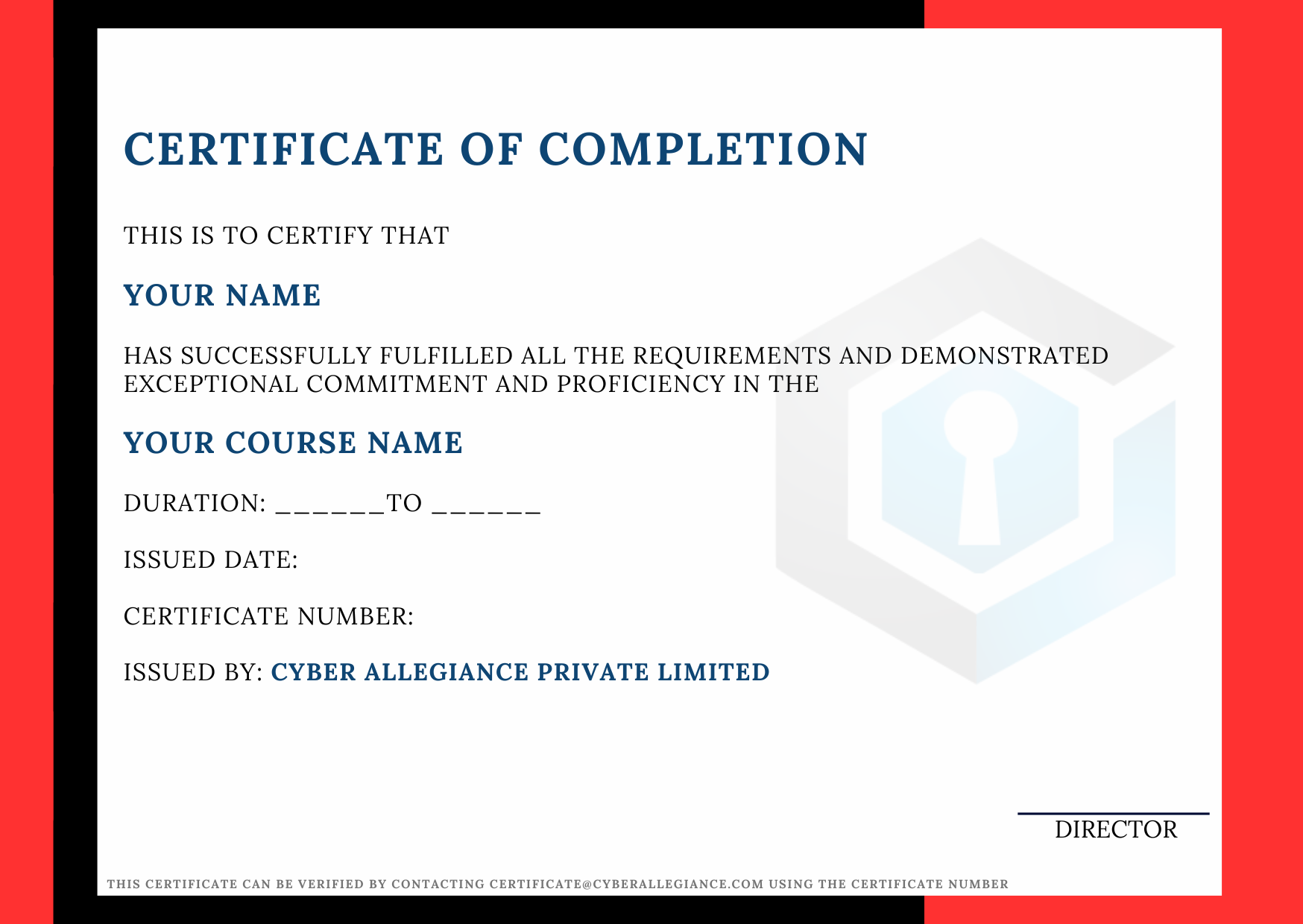
Sample Certificate

*Certificate will contain your name, course details, issued date and certificate number.

Thick Client Security

₹ 15,000 (GST 18% applicable)

Enroll Now Course Type: Online 100% Positive Reviews 600+ Students 30 Lessons Assessments Included Live Instructor-Led Classes 6 Months Recording Access Documentation for Every Topic Sessions Recorded and Shared Instantly Real-Time Project Included Classes Conducted via Microsoft Teams Private Chat Community Access Skill levelIntermediate